
Colour System
The colour system is a carefully curated combination of palettes that represent Strength and Softness. It helps you define your webspace, allowing you to differentiate and communicate your strengths.
All the colours chosen below have been selected after several rounds of testing in actual designs, during which their aesthetic appearance and range of accessibility have been carefully observed and documented.
Strength
Core Palette
Representative of the UAE and the Federal Ministry’s identity, the selection of colours for the Core Palette will help communicate the entity’s role clearly, allowing for better representation of the nation locally and globally.
UAE Gold
50
#b68a35
90
#413213
80
#5f481c
70
#7c5e24
60
#99742d
50
#b68a35
40
#c5a25d
30
#d6be8e
20
#e4d5b6
10
#f2eadb
UAE Red
50
#d83731
90
#4e1412
80
#711d1a
70
#932521
60
#b52e29
50
#d83731
40
#e05f5a
30
#ea8f8c
20
#f1b7b5
10
#f8dbda
UAE Green
50
#3f8e50
90
#17331D
80
#214A2A
70
#2B6136
60
#357743
50
#3f8e50
40
#65a473
30
#93c09d
20
#bad6c0
10
#dcebdf
UAE Black
100
#1b1d21
90
#323438
80
#494a4d
70
#606164
60
#76777a
50
#8d8e90
40
#a4a5a6
30
#bbbcbd
20
#d1d2d3
10
#ececec
Black plays a critical role in determining the overall aesthetics of the layout (look and feel), for more information see environment.
Softness
Secondary Palette
This optional Secondary Palette will allow readers to relate to the content better given its contrast to the Core Palette colour scheme and will add a human touch to the overall feel of the website, improving readability.
UDP Space
(100)
#171a53
90
#181a53
80
#444875
70
#5d5f87
60
#747698
50
#8b8da9
40
#a2a3ba
30
#babbcc
20
#d1d1dd
10
#e8e9ee
TRA Blue
(50)
#002dc2
90
#000f46
80
#001866
70
#001f84
60
#0026a3
50
#002dc2
40
#3357ce
30
#7089dd
20
#a3b3e9
10
#d1d9f4
Light Blue
(50)
#00abeb
90
#003e55
80
#00597b
70
#00749f
60
#008fc5
50
#00abeb
40
#33bcef
30
#70d0f4
20
#a3e1f8
10
#d1f0fb
Saffron Yellow
(50)
#f8c028
90
#5a440e
80
#816415
70
#a8821c
60
#d0a122
50
#f8c028
40
#f9cd53
30
#fbdc86
20
#fde7b1
10
#fef4d8
Salmon
(50)
#ff8561
90
#5c3023
80
#854433
70
#ad5a42
60
#d67051
50
#ff8561
40
#ff9d81
30
#ffbba6
20
#ffd3c6
10
#ffe9e2
Contrast
Environment
The function of the Environment Colours is to determine the atmosphere and layouts of the webpages. Each colour has its own language, and these neutral shades work silently in the background to enhance the look and feel of the page’s content.
Neutral Palette
UAE Black
100
#1b1d21
90
#323438
80
#494a4d
70
#606164
60
#76777a
50
#8d8e90
40
#a4a5a6
30
#bbbcbd
20
#d1d2d3
10
#ececec
Accent
Black Pearl
100
#06122a
90
#202a40
80
#384155
70
#515a6a
60
#6a717f
50
#838995
40
#9ba0aa
30
#b5b8bf
20
#cdd0d4
10
#e7e7ea
Pure White
100
#fff
90
#fcfcfc
80
#fafafa
70
#f7f7f7
60
#f5f5f5
50
#f2f2f2
40
#f0f0f0
30
#ededed
20
#ebebeb
10
#e8e8e8
Athens Grey
100
#eff1f3
90
#eceef0
80
#eaecee
70
#e7eaeb
60
#e6e7ea
50
#e3e5e7
40
#e1e3e5
30
#dee0e2
20
#dcdee0
10
#d9dbdd
Gradient Colours
In line with industry best practices, it is advisable to create gradients with colours from the same family and to use shades and/or tints wherever necessary to achieve better, more differentiated results.
Technology Blue
Start Colour
TRA Blue (50)
#002dc2
Start Colour
Light Blue (40)
#33bcef
Start Colour
TRA Blue (50)
End Colour
Light Blue (40)
Application
We Create
Our Initiatives
SmartPass
Lorem ipsum dolor sit amet, consectetur adipiscing elit. Vivamus elementum est quis risus tempor hendrerit.
Read MoreFederal Network
Lorem ipsum dolor sit amet, consectetur adipiscing elit. Vivamus elementum est quis risus tempor hendrerit.
Read MoreDigital Signature
Lorem ipsum dolor sit amet, consectetur adipiscing elit. Vivamus elementum est quis risus tempor hendrerit.
Read MoreSand Theme
Start Colour
Saffron Yellow (80)
#816415
Start Colour
UAE Gold (50)
#b68a35
Start Colour
Saffron Yellow (80)
End Colour
UAE Gold (50)
Vibrant Warm Theme
Start Colour
UAE Red (50)
#d83731
Start Colour
Salmon (50)
#ff8561
Start Colour
UAE Red (50)
End Colour
Salmon (50)
Nature Green Theme
Start Colour
UAE Green (50)
#3f8e50
Start Colour
UAE Green (40)
#65a473
Start Colour
UAE Green (50)
End Colour
UAE Green (40)
How to use
the colour system
Each layout should contain at least 70% Neutral palette (monochromes) and up to 30% chromatics (up to 20% Core palette and up to 10% secondary).
Secondary colours are optional and usually there is only a colour from core palette.
70%
Environment Colours
Minimum of 70%
20%
Core Palette
Maximum of 20%
10%
Secondary Colours
Maximum of 10%
Application
The above recommended colour schematics will allow you to work with a single template to generate different looks for the various entities, based on their requirements and preferences. The examples shared below give an insight into what the final look will be:
For more examples see Templates.
Create contrast
One of the best ways to create a webpage that is user-friendly is to start the design process using neutral palettes to determine low fidelity wireframes and other details. Once this is complete, it is easier to apply colours to the most important elements (such as buttons) to achieve the perfect contrast that allows for smooth navigation and enhanced user experience.
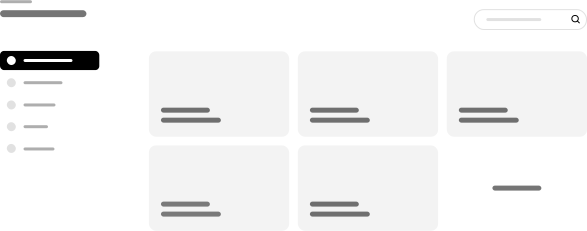
Step 1 | Low fidelity wireframing using neutral colour palette.
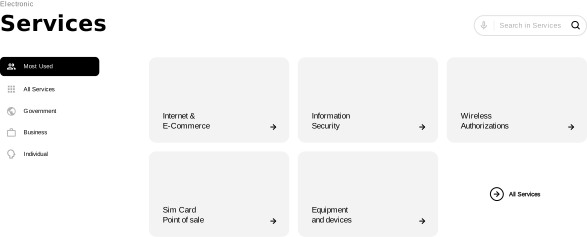
Step 2 | High fidelity wireframing (neutral colour palette).
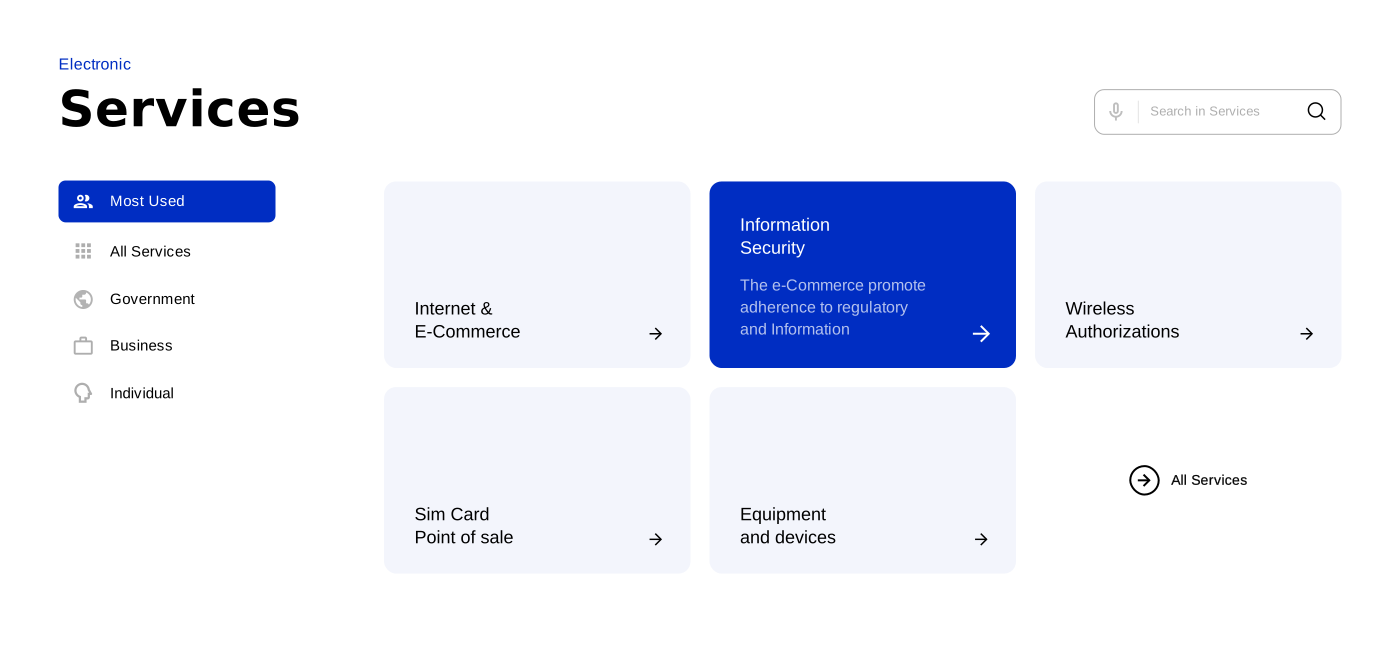
Step 3 | Apply core palette colours to the elements
Text Colours
We recommend creating text on primary colour palettes in order to achieve the highest ratios of contrast and improved readability.
White on Black
Text
#ffffff
Background
#000000
Black on White
Text
#000000
Background
#ffffff
Primary on White
Text
Primary (50) & above
Background
#ffffff
White on Primary
Text
#ffffff
Background
Primary (50) & above
Application
Examples of how to apply the principle.
E-Commerce
E-Commerce
Authorisation
Authorisation
Functional Colours
The user associates specific content with particular colours from memory - the recall power of the mind is quite strong. Therefore, it is key that the right colours are used to ensure the messaging is correctly communicated.
Success Messages
Primary Success
Text
#ffffff
Background
UAE Green (50)
Secondary Success
Text
UAE Green (60)
Background
UAE Green (10)
Application
Errors Messages
Primary Error
Text
#ffffff
Background
UAE Red (60)
Secondary Error
Text
UAE Red (60)
Background
UAE Red (10)
Application
Warning Messages
Primary Warning
Text
#000000
Background
Saffron Yellow (50)
Secondary Warning
Text
Saffron Yellow (90)
Background
Saffron Yellow (10)
Application
Accessibility
Colour combinations should meet the contrast ratios specified by the WCAG 2.0. When implementing the design system, we should also take into account users with colour blindness and low vision in order to make sure that navigating the website is just as easy for them as it is for those without different abilities.
Correct
White on Black
Text
#ffffff
Background
#000000
Contrast ratio
21:1
Black on White
Text
#000000
Background
#ffffff
Contrast ratio
21:1
Primary Background
Text
#ffffff
Background
Primary (50) & above
Contrast ratio
21:1
Primary on White
Text
Primary (50)
Background
#ffffff
Contrast ratio
9.74:1
Primary on White
Text
UAE Green (70)
Background
#ffffff
Contrast ratio
7.32:1
Incorrect
White on Grey
Text
#fff
Background
#bbbcbd
Contrast ratio
1.9:1
Salmon on White
Text
#ff9d81
Background
#ffffff
Contrast ratio
2.3:1
Primary Background
Text
#06122a
Background
Blue (40)
Contrast ratio
3.2:1
Grey on Black
Text
UAE Black (30)
Background
#000000
Contrast ratio
4.2:1
Primary on White
Text
UAE Green (40)
Background
#ffffff
Contrast ratio
4.83:1
WebAim is a useful tool to check the contrast ratios of two colours: https://webaim.org
Imagery
Colour Guidance



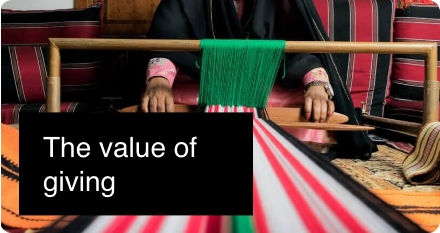

Colour usage
at a glance
Core palette
#413213
#5f481c
#7c5e24
#99742d
#b68a35
#c5a25d
#d6be8e
#e4d5b6
#f2eadb
#4e1412
#711d1a
#932521
#b52e29
#d83731
#e05f5a
#ea8f8c
#f1b7b5
#f8dbda
#17331D
#214A2A
#2B6136
#357743
#3f8e50
#65a473
#93c09d
#bad6c0
#dcebdf
#323438
#494a4d
#606164
#76777a
#8d8e90
#a4a5a6
#bbbcbd
#d1d2d3
#ececec
Core: 80-90
Text colours,
Background for white text.
UAE Black 40
Disabled state
Core: 10
Environment,
Cards and fields.
Secondary palette
90
#202a40
80
#384155
70
#515a6a
60
#6a717f
50
#838995
40
#9ba0aa
30
#b5b8bf
20
#cdd0d4
10
#e7e7ea
90
#000f46
80
#001866
70
#001f84
60
#0026a3
50
#002dc2
40
#3357ce
30
#7089dd
20
#a3b3e9
10
#d1d9f4
90
#003e55
80
#00597b
70
#00749f
60
#008fc5
50
#00abeb
40
#33bcef
30
#70d0f4
20
#a3e1f8
10
#d1f0fb
90
#5a440e
80
#816415
70
#a8821c
60
#d0a122
50
#f8c028
40
#f9cd53
30
#fbdc86
20
#fde7b1
10
#fef4d8
90
#5c3023
80
#854433
70
#ad5a42
60
#d67051
50
#ff8561
40
#ff9d81
30
#ffbba6
20
#ffd3c6
10
#ffe9e2
Secondary: 70-90
Text colours,
Background for white text.
Secondary: 40-50
Secondary colour
Secondary: 10-30
Environment,
Background for illustrations,
Creates light atmosphere.
Summary
1.
Only use colour to draw attention.
2.
Avoid adding unnecessary colours.
3.
Apply at least 1:5 colour contrast ratio for text and background to ensure high readability.